
Hello! 👋
The new Bucketly is here! 🎉 This is the biggest update in Bucketly's history - I rebuilt huge parts of the app from the ground up: a complete redesign, a brand new World Map, private profiles, a proper dark / light theme, and a whole lot more.
Bucketly is still in beta, and this update marks a new chapter of it - with more polish rolling out every week. Grab a coffee and let's dive into the details:
tl;dr
What's new:
- ✨ Complete redesign - A fresh, cleaner look across the whole app
- 🗺️ World Map - Explore bucket items and places on an interactive map
- 🔒 Private profiles - You decide who sees your bucket list
- 🌗 Dark / Light theme - Switch between dark and light mode, your choice
- 🎯 Goal pages, rebuilt - Every goal is now a little destination of its own
- 🙌 Try it without an account - Mark goals as guest, sign up whenever you're ready
- 📍 Bucket List pages - Country & theme pages with heroes, filters and mini maps
- ✅ Lists you can track - Track a curated list and watch your progress grow
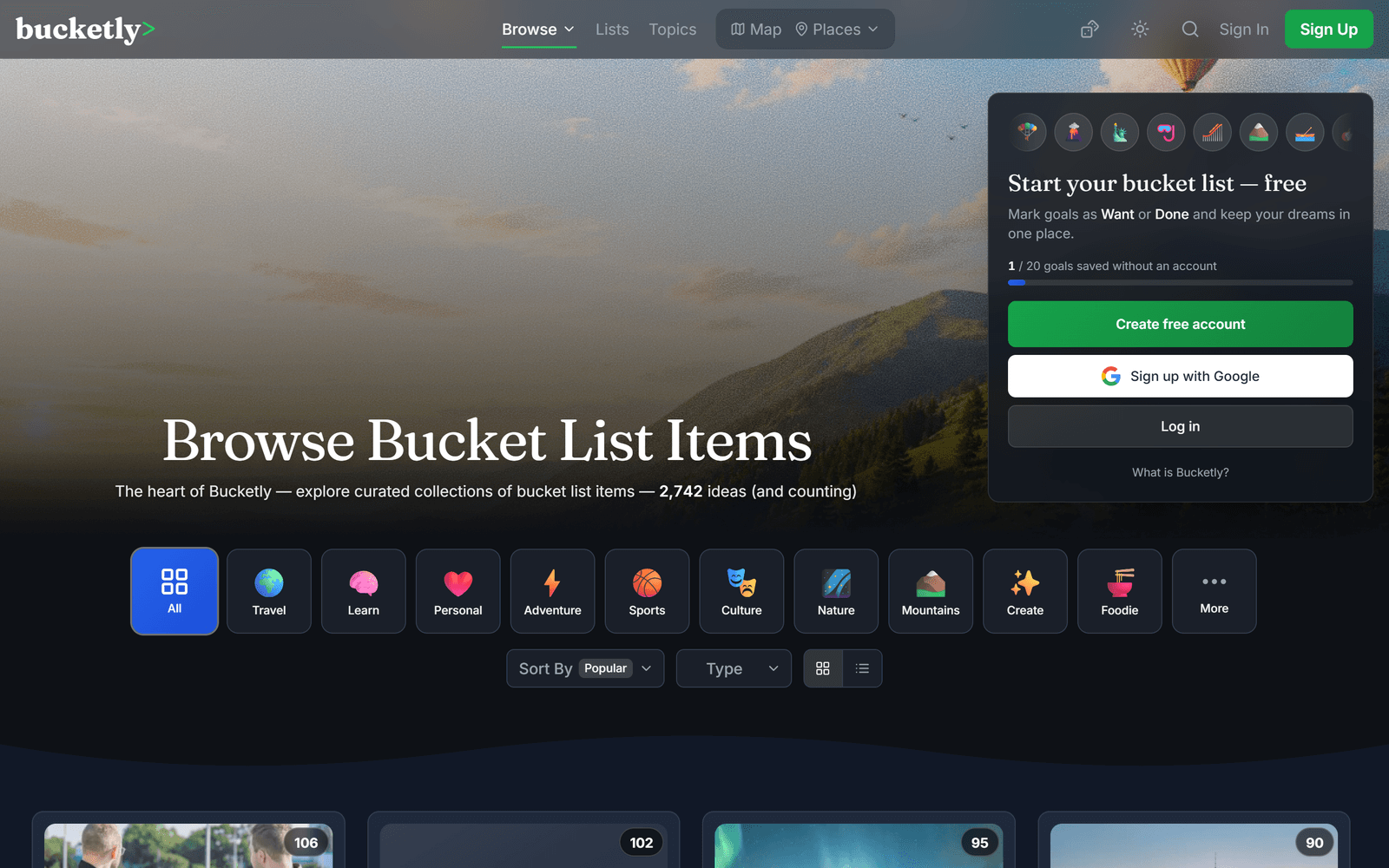
- 🧭 Browse, mega menus & Explore - New front door, new navigation, new overview page
- 📃 New dashboard - Redesigned home for your activity and the community
- 🎉 Planned for 2026 - Your year's goals in one widget, tick them off in place
- 👤 Profiles, redesigned - Your whole journey on one personal dashboard
- 🐛 Countless improvements and bugfixes - Faster, smoother, better everywhere
1. Complete Redesign
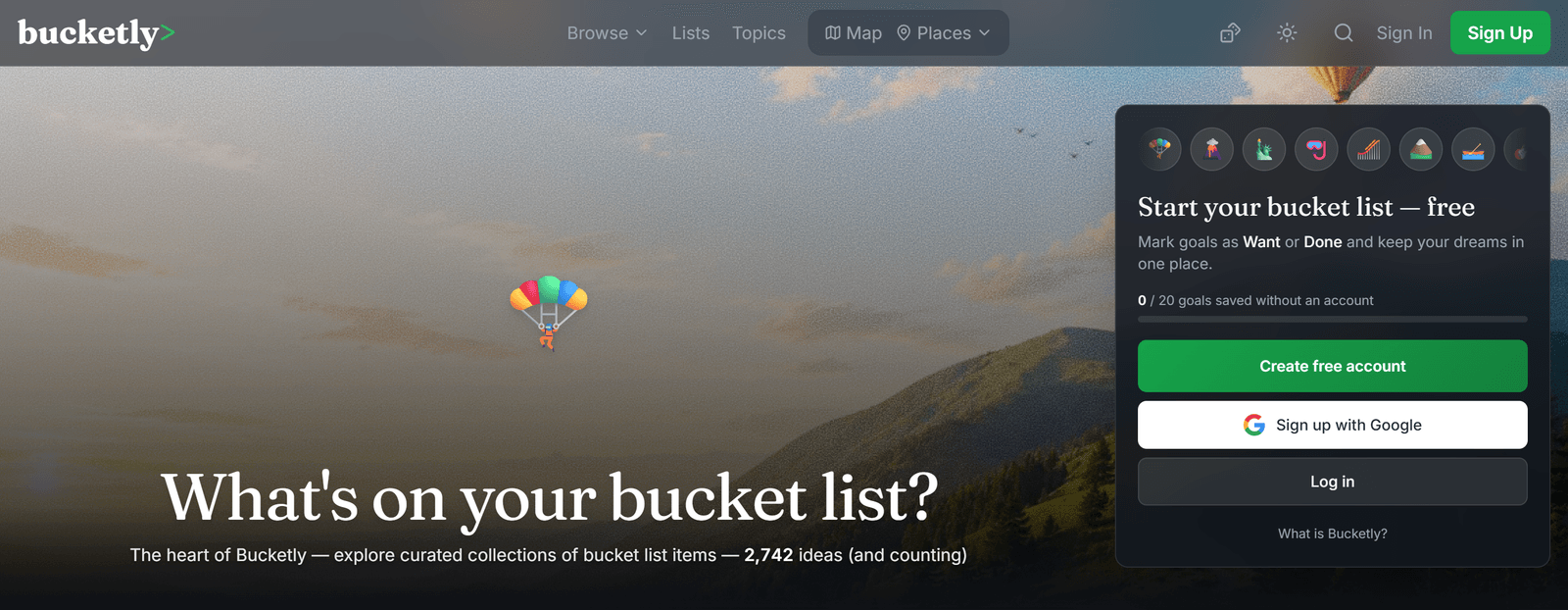
It starts with a fresh coat of paint - and then some. I went back to the drawing board and redesigned Bucketly from top to bottom. Cleaner layouts, better spacing, a refreshed header and navigation, and a more consistent look on every page - from the homepage to your bucket list.
The whole app now feels lighter, faster, and easier to navigate on both desktop and mobile.
🔗 See it in action: bucketly.co
2. World Map
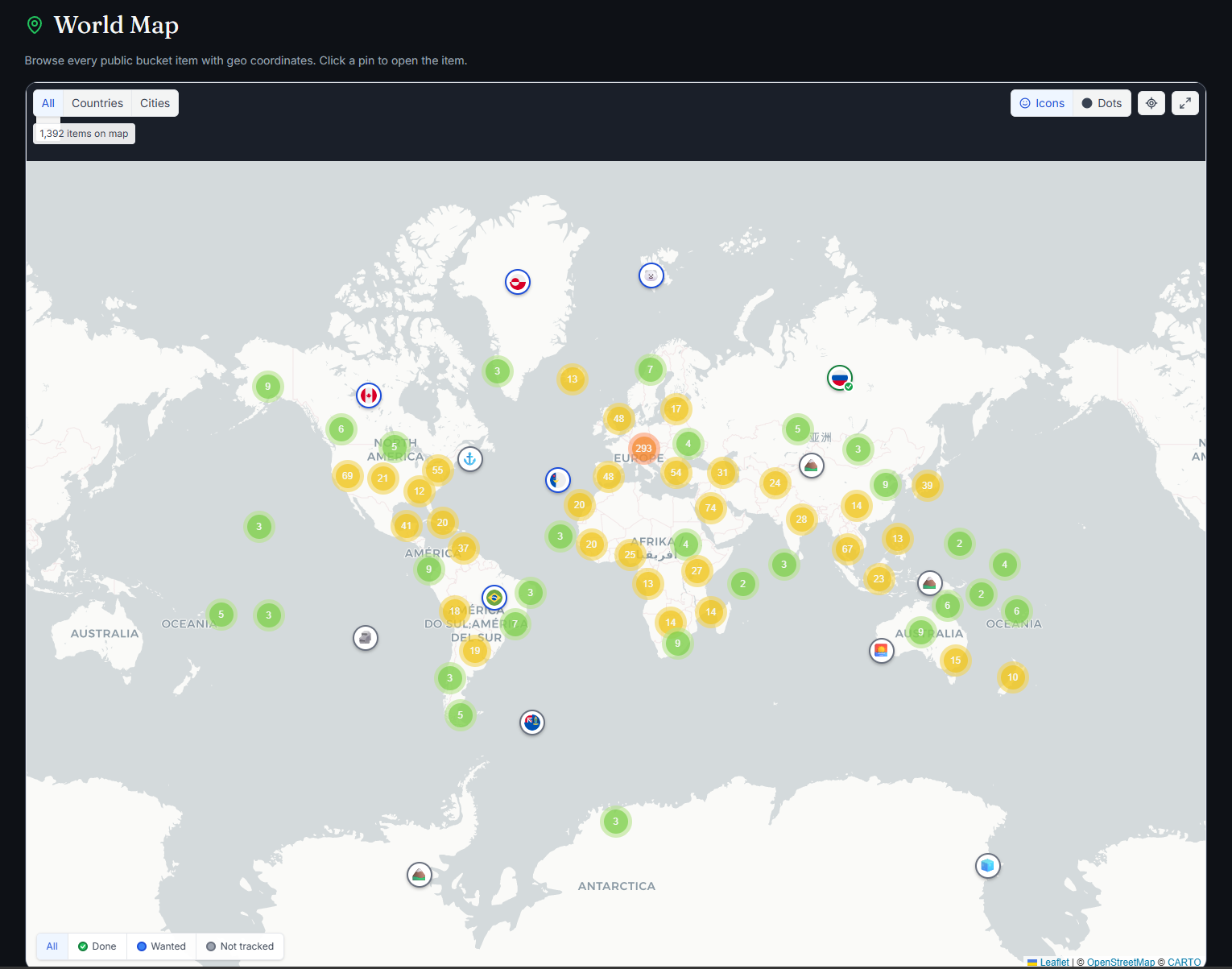
Say hello to the brand new World Map! 🌍 Explore places, landmarks, and countries from bucket lists across the community on a fully interactive map.
Smart marker clustering, emoji pins, country / city filters, fullscreen mode - you can even mark goals as Want or Done right from a pin popup. It's a whole new way to get inspired and discover where to go next.
🔗 Explore the map: bucketly.co/map
3. Private Profiles
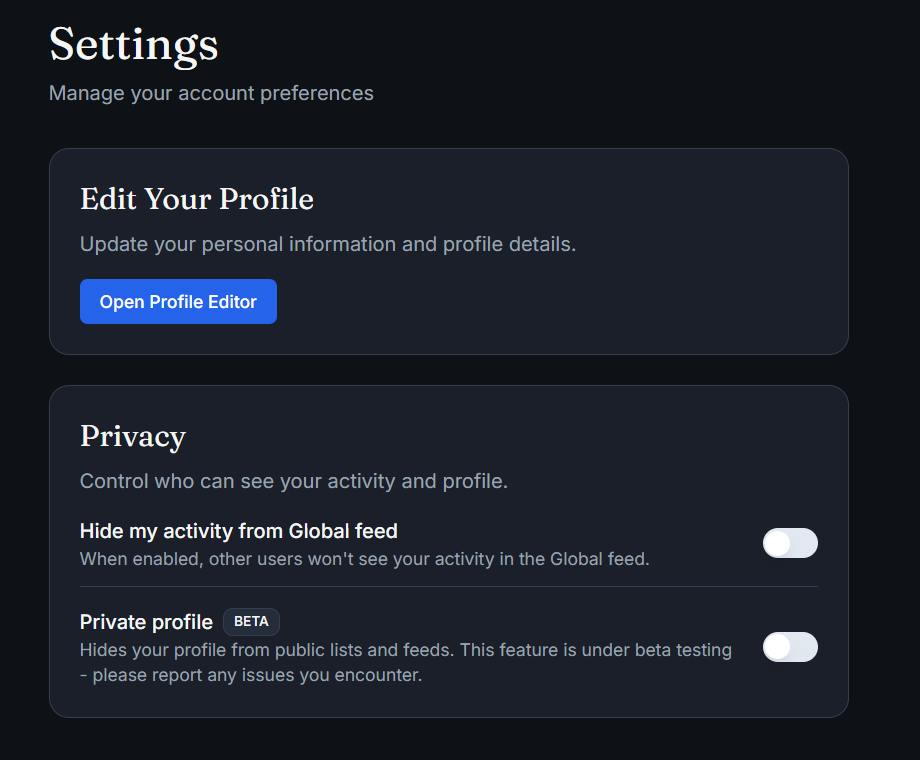
Your bucket list, your rules. You can now make your profile private, so only you decide who gets to see your goals, dreams, and progress.
Head to Settings to switch your profile between public and private at any time.
You can also make the account silent (so your activity will not be seen in the dashboard).
4. Dark / Light Theme 🌗
Bucketly now supports both dark and light mode. Toggle between them anytime using the theme switch in the header - the app remembers your choice.
Whether you're planning your next adventure over morning coffee or late at night, Bucketly looks great either way.
5. Goal Pages, Rebuilt
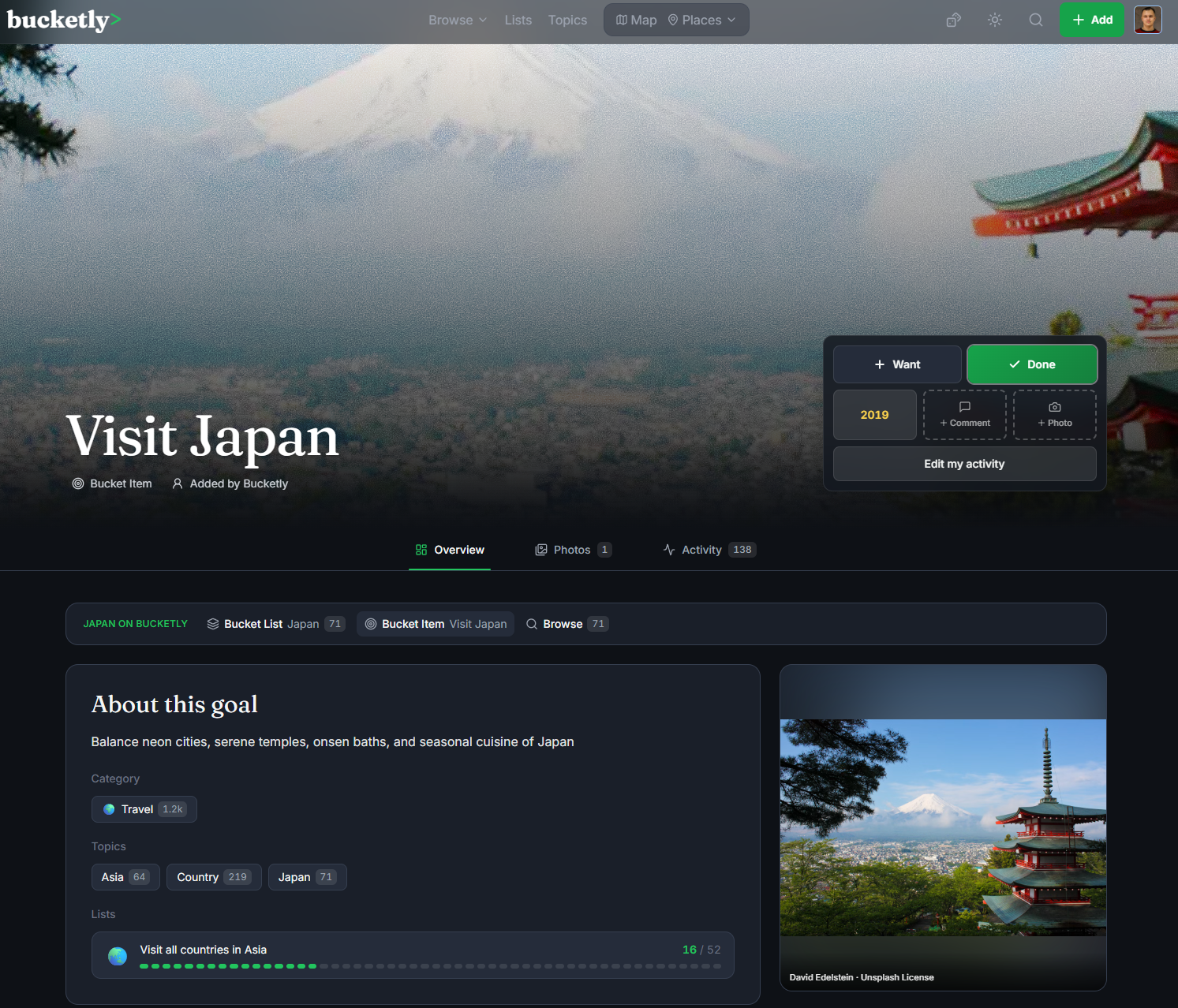
Every goal page was rebuilt from the ground up - it's the page I redesigned first, and the one the rest of the redesign is modeled on. Each goal is now a little destination of its own: a big photo hero with a Want / Done action card, tabs for Overview, Photos and Activity, live community stats, related topics and lists - and for many goals, a map.
There's also the new My Activity dialog: set your status, plan a year, write a comment and add a photo - all in one place. And when you tick something off, you can share it as a ready-made story image for social media.
🔗 Open any goal from bucketly.co/browse and have a look around
6. Try Bucketly Without an Account
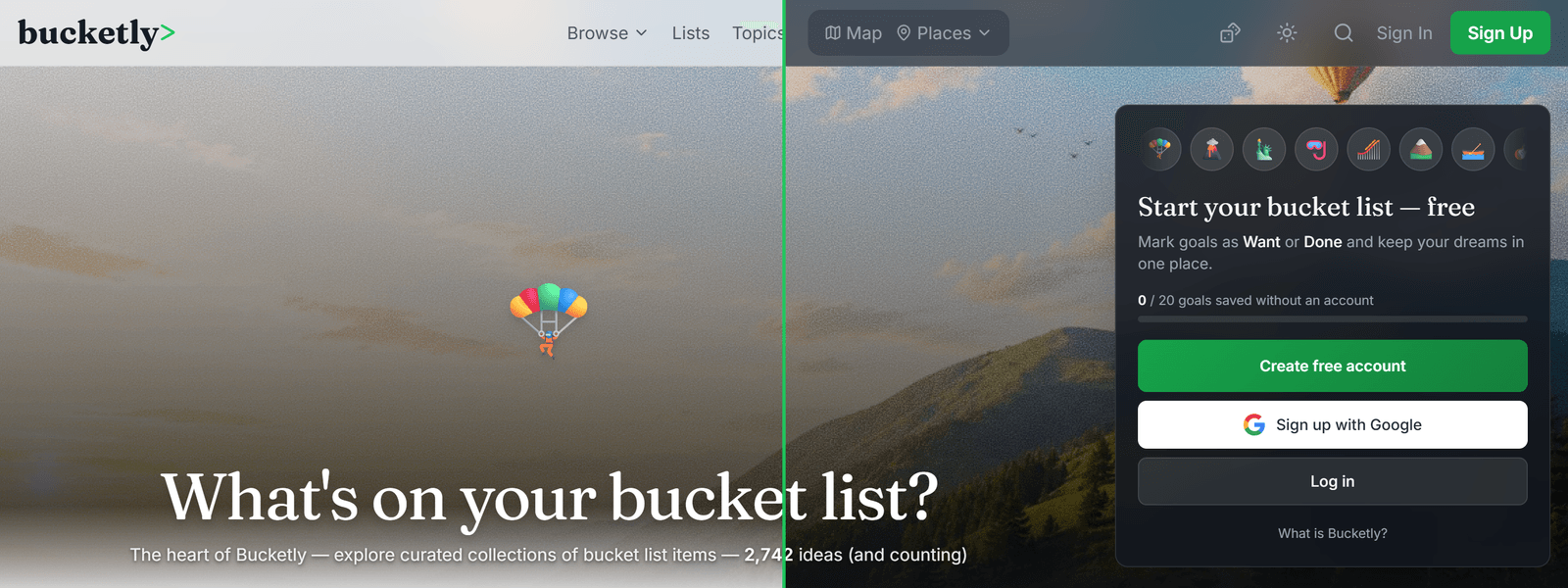
You can now start your bucket list before you even sign up! Mark goals as Want or Done straight from the homepage, browse pages and goal pages - no account needed. Your progress is saved as you go, and the moment you create a free account, everything you've marked moves with you automatically.
Fair warning: there's a limit for guests, so at some point you'll have to make it official 😉
7. Bucket List Pages
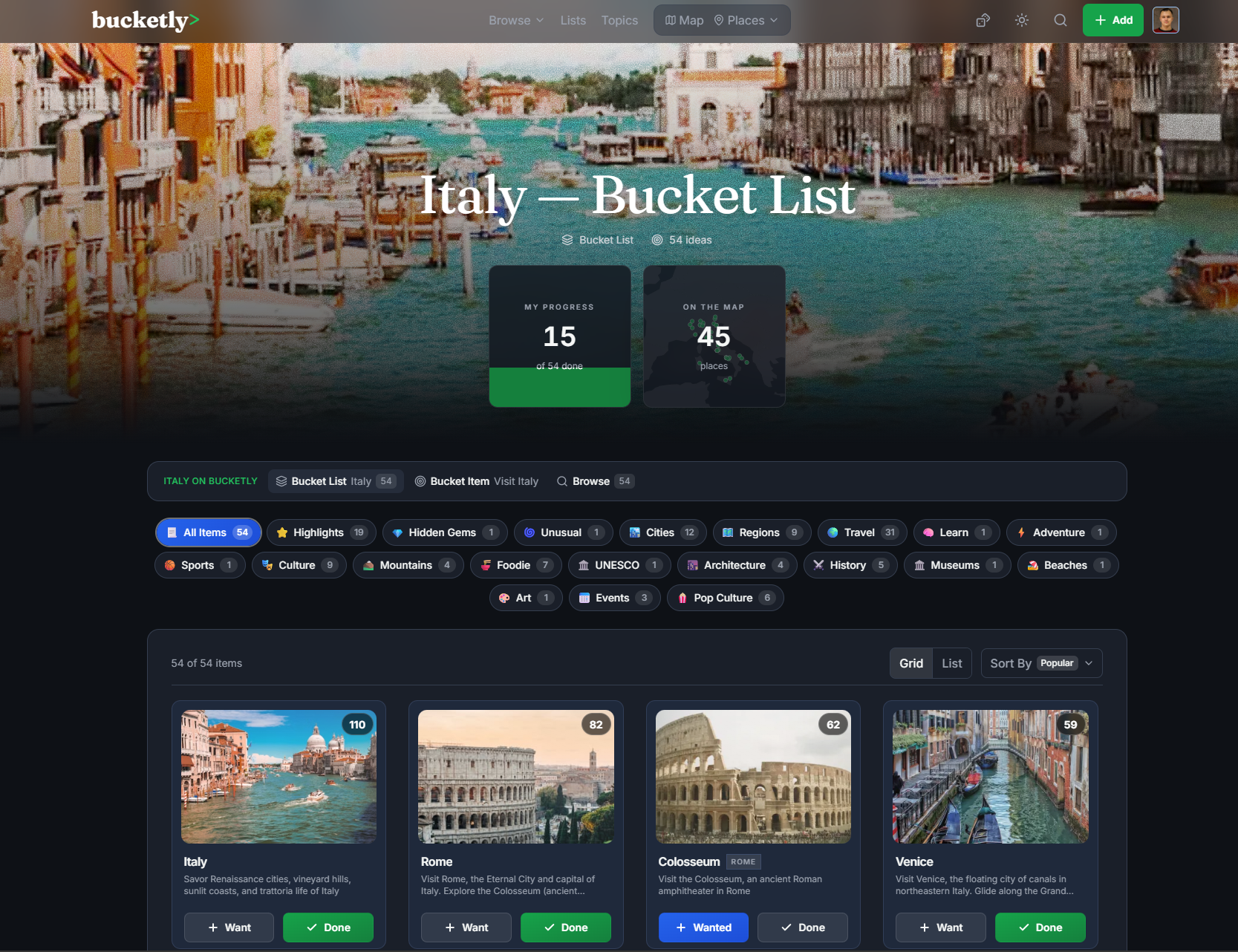
Remember the Travel Hub topic pages? They grew up into full Bucket List pages. Every country and theme (or so called Tag) now gets a photo hero, quick stats, category filters - and those with geo data include a live mini map of all the list's places, right in the hero.
At the bottom, Similar Bucket Lists make sure one list always leads to the next adventure.
🔗 Example: bucketly.co/bucket-list/switzerland
8. Lists You Can Track
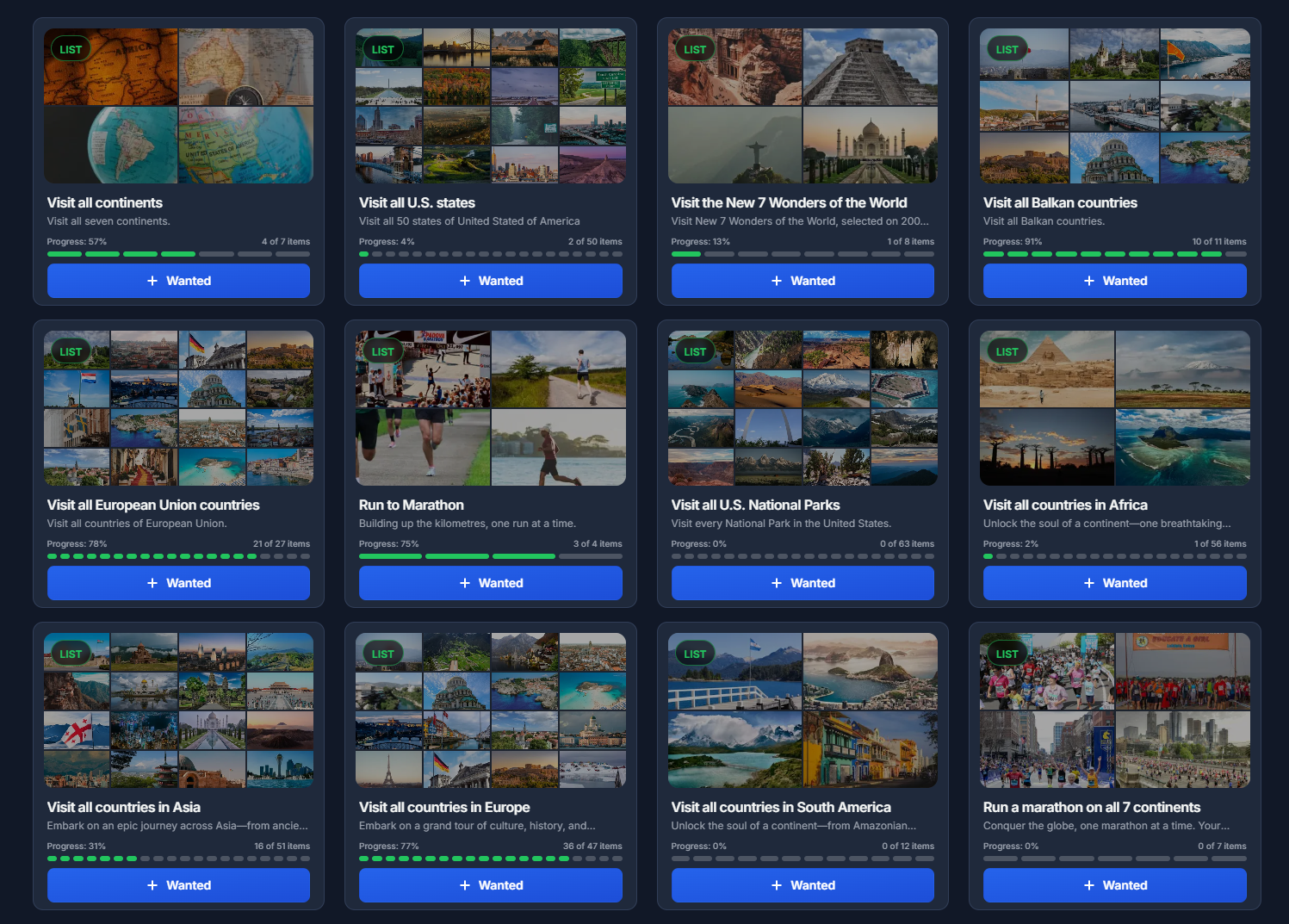
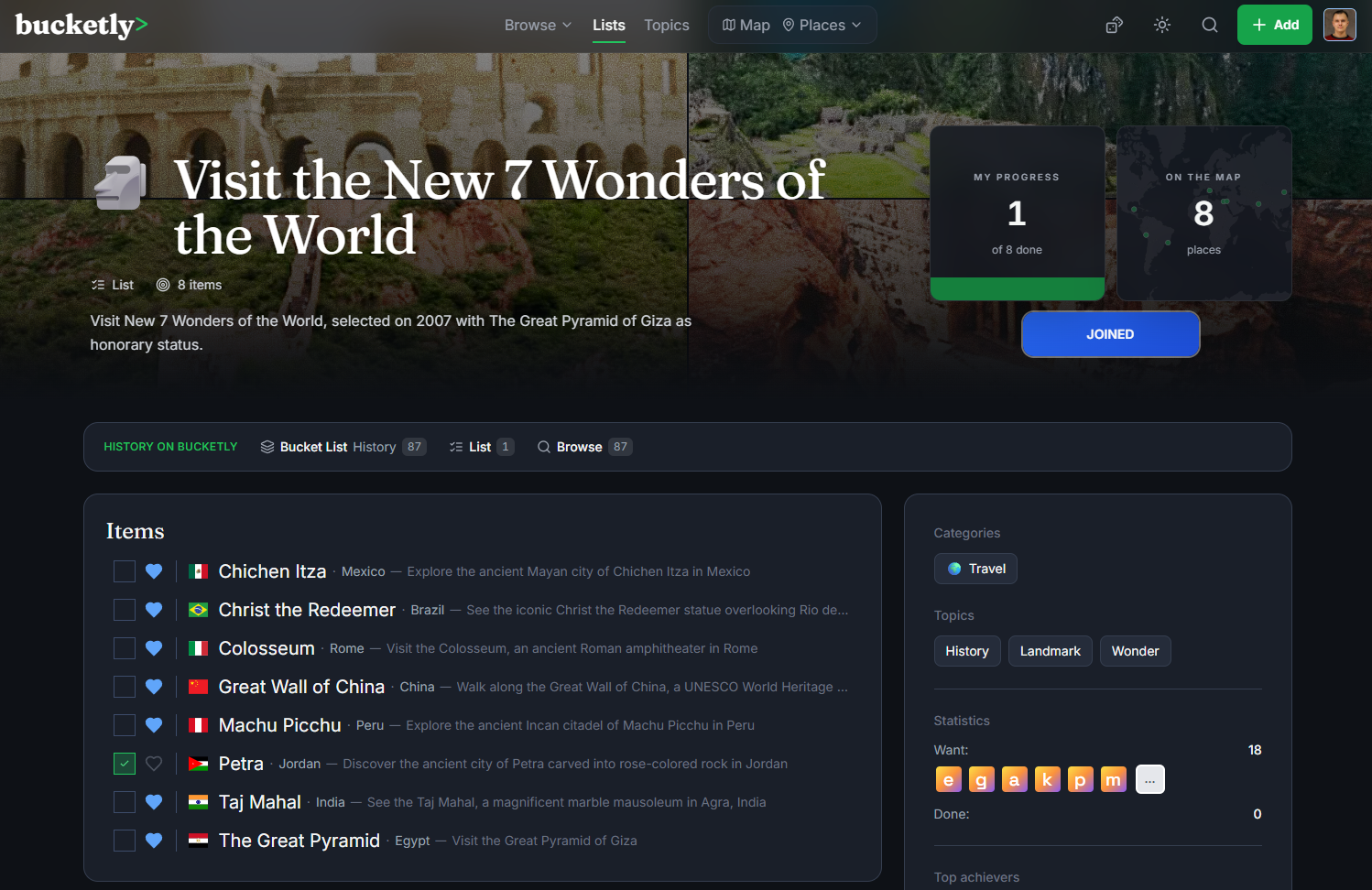
Curated Lists were redesigned around one simple idea: track a list, then finish it. Every list now shows a hero collage built from its own item photos, your personal completion progress, and per-item stats. Track a list and it lands on your dashboard with its own progress bar, and the new My Status filter shows only what you're working on.
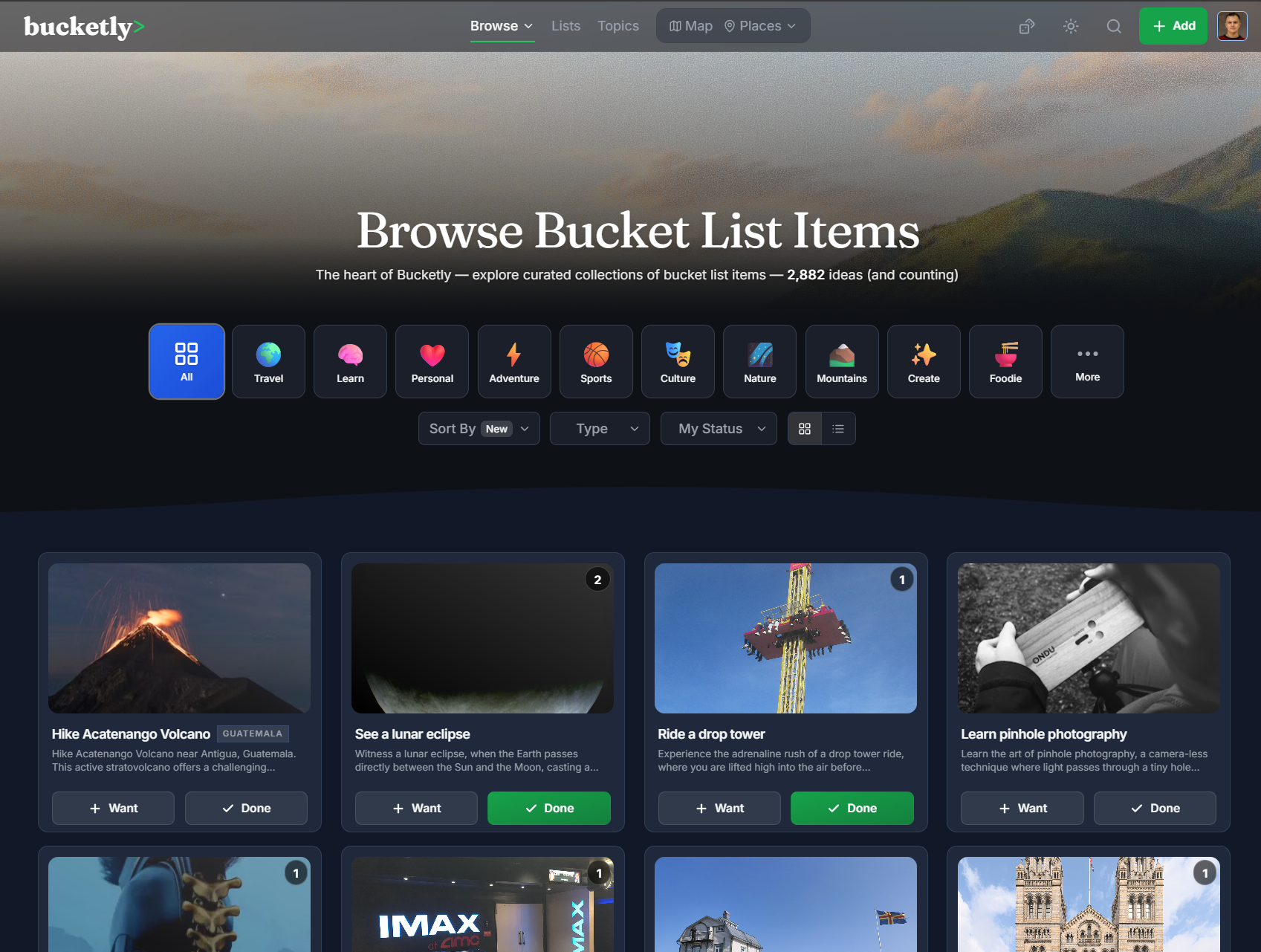
Lists are now available under Browse along with the Bucket Items. 🔗 See them all: bucketly.co/lists
9. New Dashboard
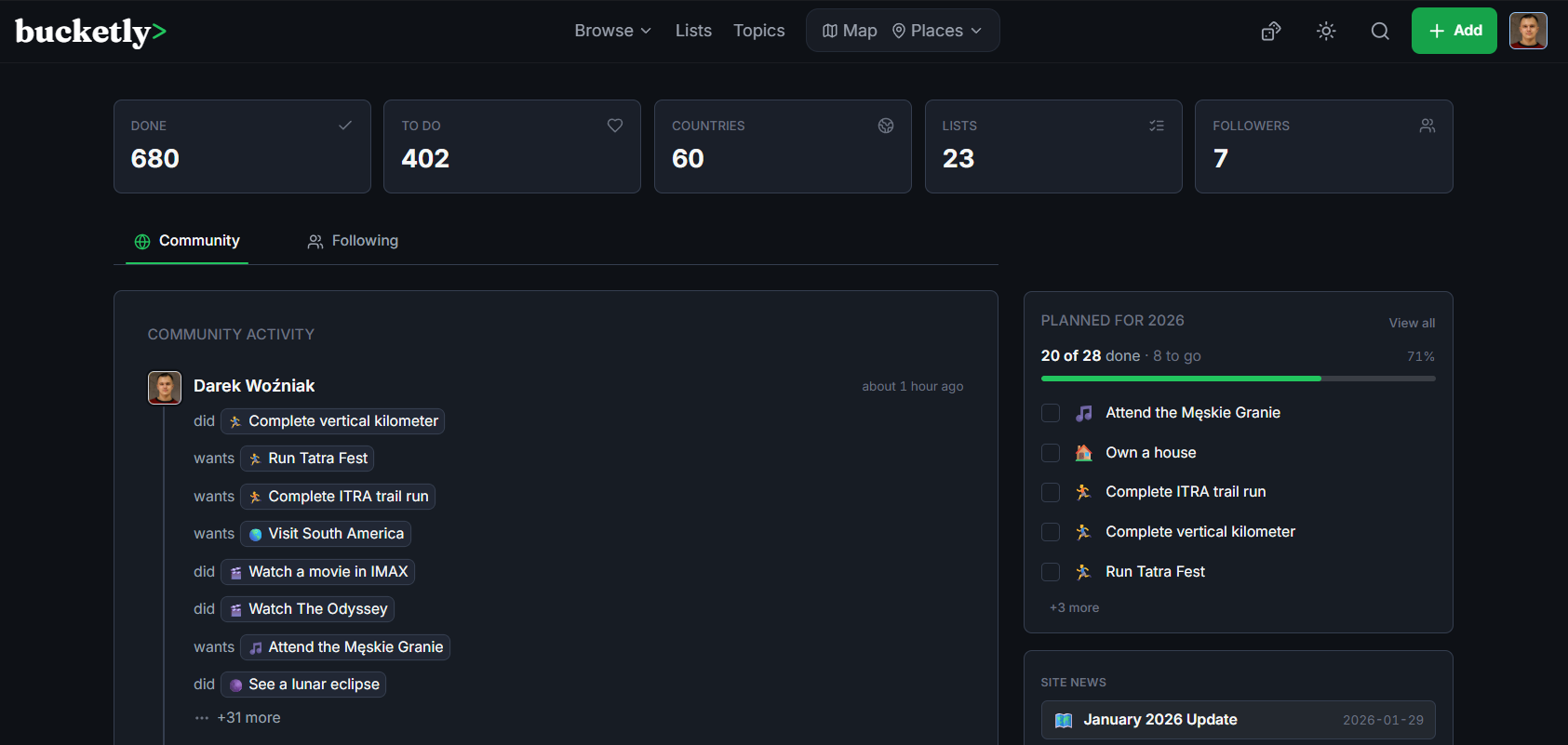
The dashboard got a full makeover. It's now a cleaner, more focused home for your activity, trending items, community updates, and the people you follow - with Community and Following feed tabs (your choice is remembered) and a discovery sidebar with site news, new & trending goals and fresh lists.
Dashboard is available after login.
🔗 See it in action: bucketly.co/dashboard
10. Your Profile Page
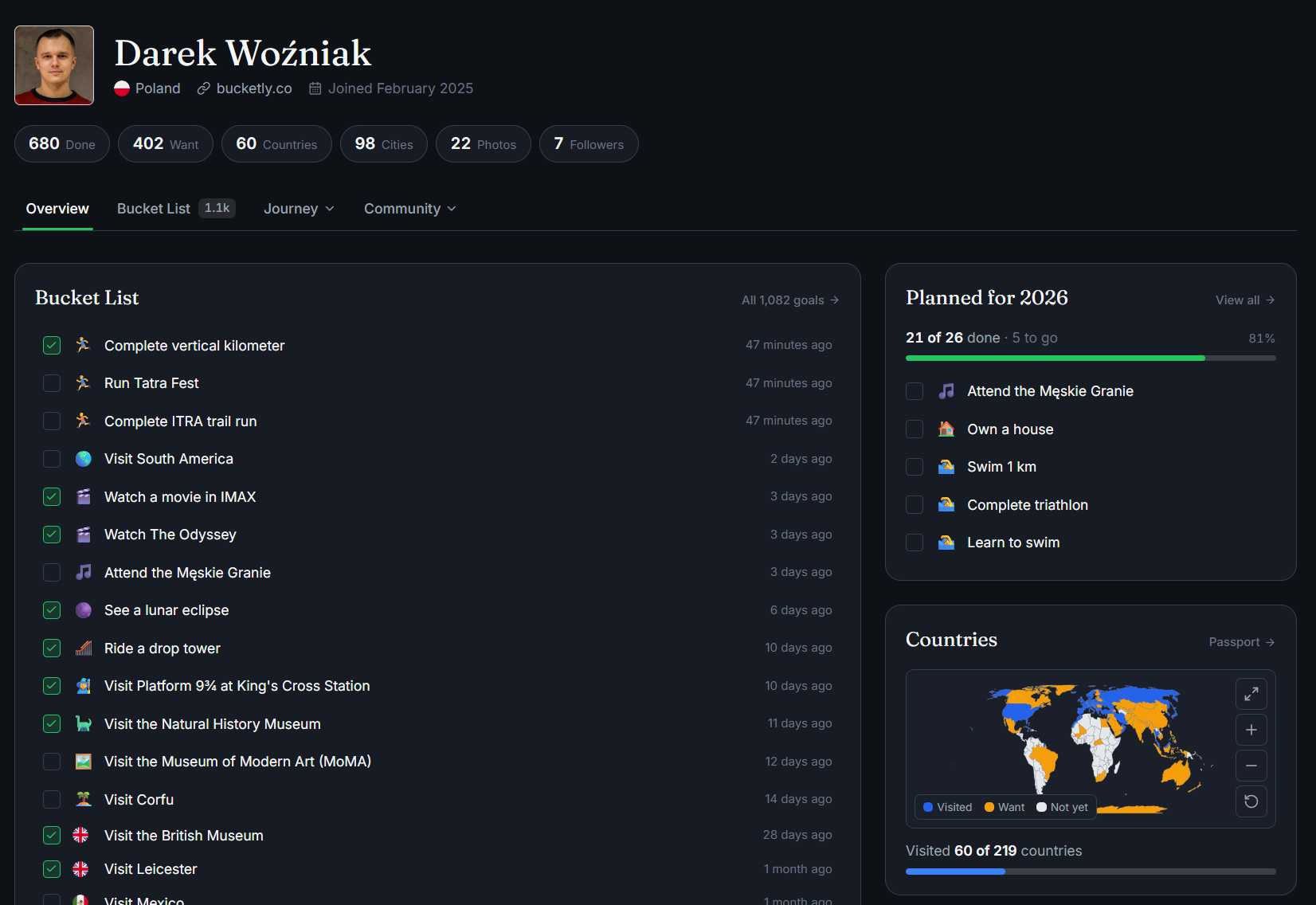
Profiles got a complete makeover. The overview is now a compact personal dashboard: your bucket list at a glance, your passport map, the Planned for (current year) widget, your photos, and quick links into everything else - your full bucket list (group it by category or year), photos, comments, activity, and followers.
The Travel Passport also leveled up: the map is now interactive and even colors the countries you want to visit.
11. 🐛 Fixeees and improvements
Other changes include:
- Like other people's activity straight from the feed, with like counts
- Lists and topics everywhere now show real cover images and photo-mosaic previews
- Smarter header search that suggests goals, lists, topics and categories as you type
- Naming settled once and for all: tags are now Topics, curated collections are Lists
- Faster everywhere: smarter caching, faster map data, smoother loading states
- And many, many more...
12. 🙏 Support the Project
Servers, databases, high-resolution images, and countless hours of work add up - even a €3 coffee-tip helps keep Bucketly growing
Hey, I'm glad you are reading this section :) I'm personally very determined and dedicated to make Bucketly a success. My goal is to help people to achieve their dreams and make them happy. The project itself is hugely time-, energy-, and money-consuming.
The project is a new territory for me, but it's also challenging and rewarding. Whenever I see new users coming to the page or users making even tiny actions, it's a huge motivation to keep going.
If you want to support me and help me achieve my goal, please consider donating, even with a coffee-tip. I'm working on many other exciting features, so the Bucketly grows more and more, and I'm super happy to see that people are using it.
If you don't wish to support the project, please consider sharing the website with your friends. It's a great way to help the project grow and it gives me a wind in my sails!
Donation link: bucketly.co/support
13. What can you do now?
- Explore the new Bucketly and tell us what you think!
- Try guest mode - mark a few goals before you even sign up
- Register and fill your Bucket List (if you haven't already!)
- Explore the new World Map
- Track a list and start ticking it off
- Plan your 2026 - assign years to your goals and watch the widget fill up
- Try dark / light mode
- Set your profile to public or private
- Add photos and comments to your bucket items
- Follow other users
- Like other users' bucket items
- Complete your lifetime goals list
- 💖 Support the project!
- 💚 Share the website with your friends!
Thanks 🙏
- Darek