
Aloha! 👋
Whether you're a seasoned adventurer or just starting out, the Bucketly Year in Review is your chance to reflect on your achievements and goals from the past year.
Also some new features and improvements came in the way, so let's dive into the details.
tl;dr
This month featured:
- 🎯 Your 2025 [and each year] Wrapped — A new way to reflect on your achievements and goals from the current and previous years.
- 📈 New Sorting Options — A new sorting options for the Browse page: Trending, Most Wanted, Most Achieved.
- ⚙️ Improved Manage Page – UX improvements to manage your bucket list items.
- 📦 123 new bucket items — New ideas and inspiration.
- 💚 250 users on board — We're growing!
- 🐛 UI / UX Improvements – Various UI / UX improvements and bugfixes.
1. Your Year Wrapped
That is what we call the Year in Review! We want you to reflect on your achievements and goals from the current and previous years.
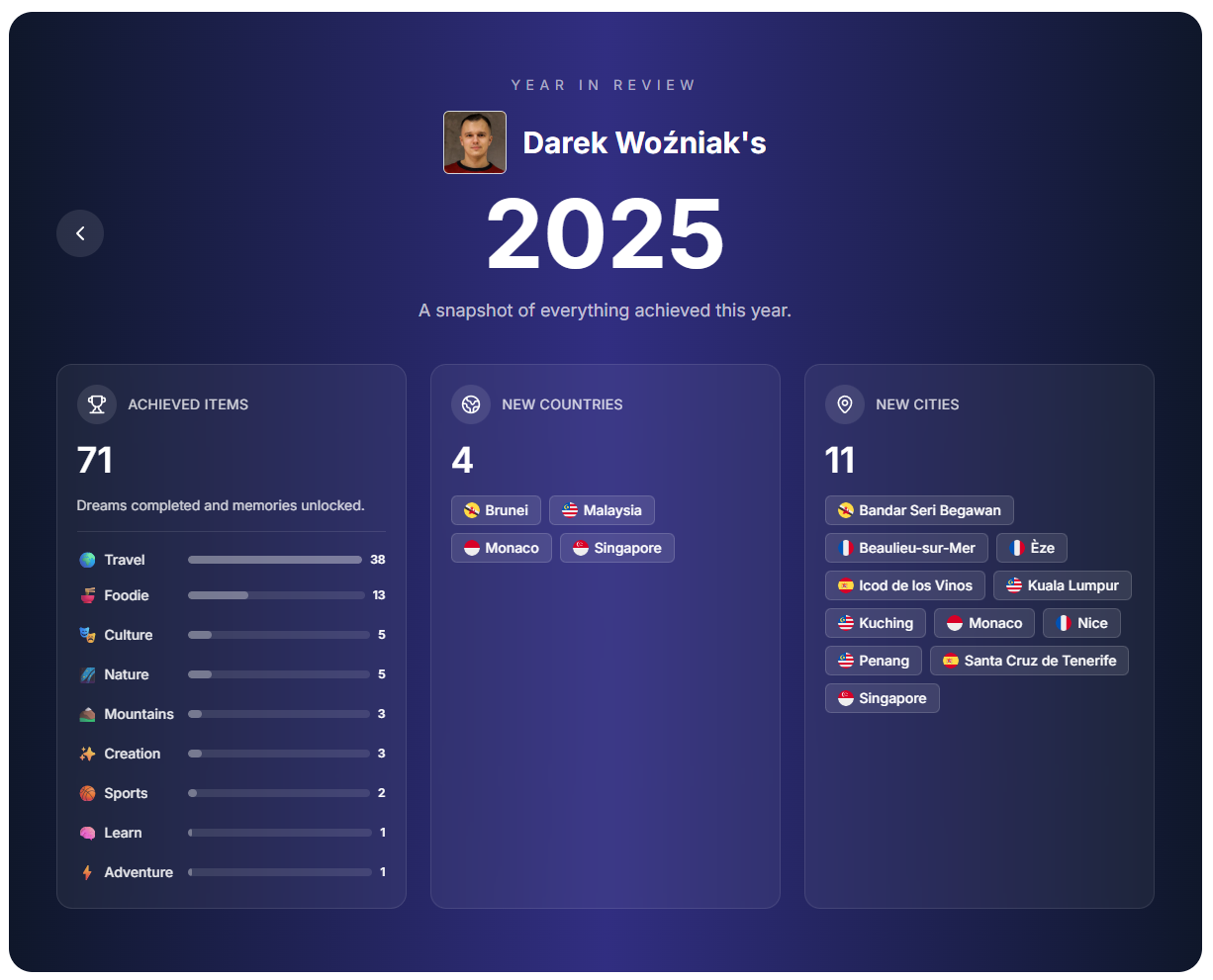
The Year in Review is a new page that shows your achievements and goals from the current and previous years in a nice and easy to understand way.
The link is available in the Profile Page > Year in Review.
Let's dig into the details of the Year in Review; it features:
- Count of items completed in the current year.
- Including new countries and cities visited in the current year.
- Own photos overlayed on the items.
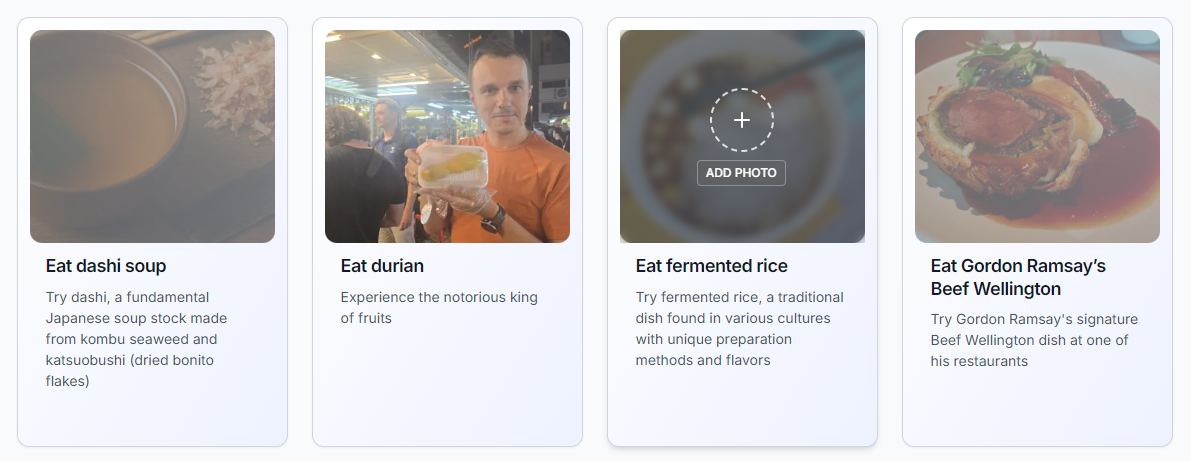
For your own photos, there's a special subsection called "Photo Memories". If you add a photo to an item, it will be overlayed on the item. It's also easy to add a photo to an item in that view.
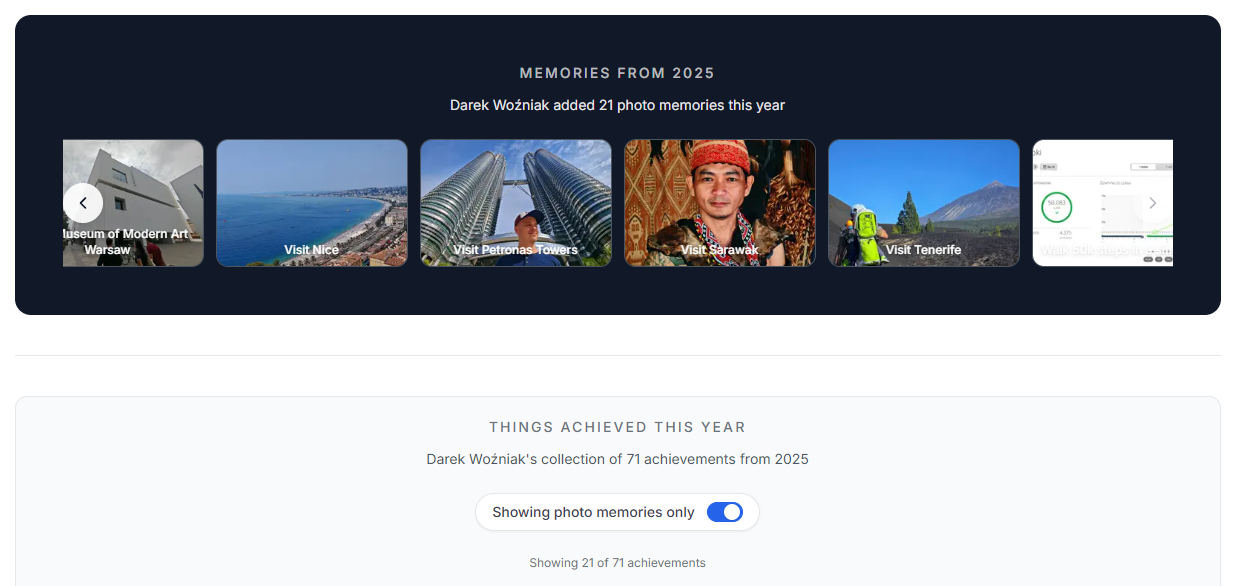
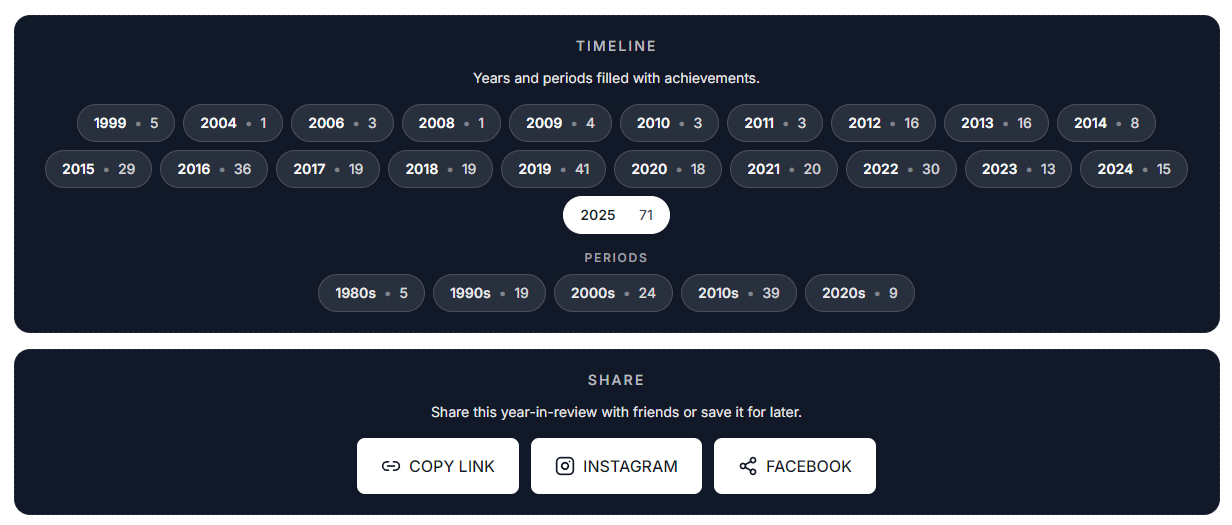
You can also navigate through previous years and share your Year in Review with your friends via social media.
🔗 Better see it in action: bucketly.co/users/1/year/2025
1.1. Your Year in Review — How to use it?
Basically, you can see your achievements and goals from the current and previous years. You can also see the timeline of your achievements and goals from the past year.
There are different ways to add a year to an item:
- From Browse (view = list)
- From Bucket Item Page
- From Manage (you can edit multiple items at once)
2. New Sorting Options
There are new sorting options for the Browse page:
- Trending
- Most Wanted
- Most Achieved
Try it yourself and let us know what you think!
3. Improved Manage Page
From now on, Manage Page features improved ways to manage your bucket list items:
You can assign a year to multiple items at once.
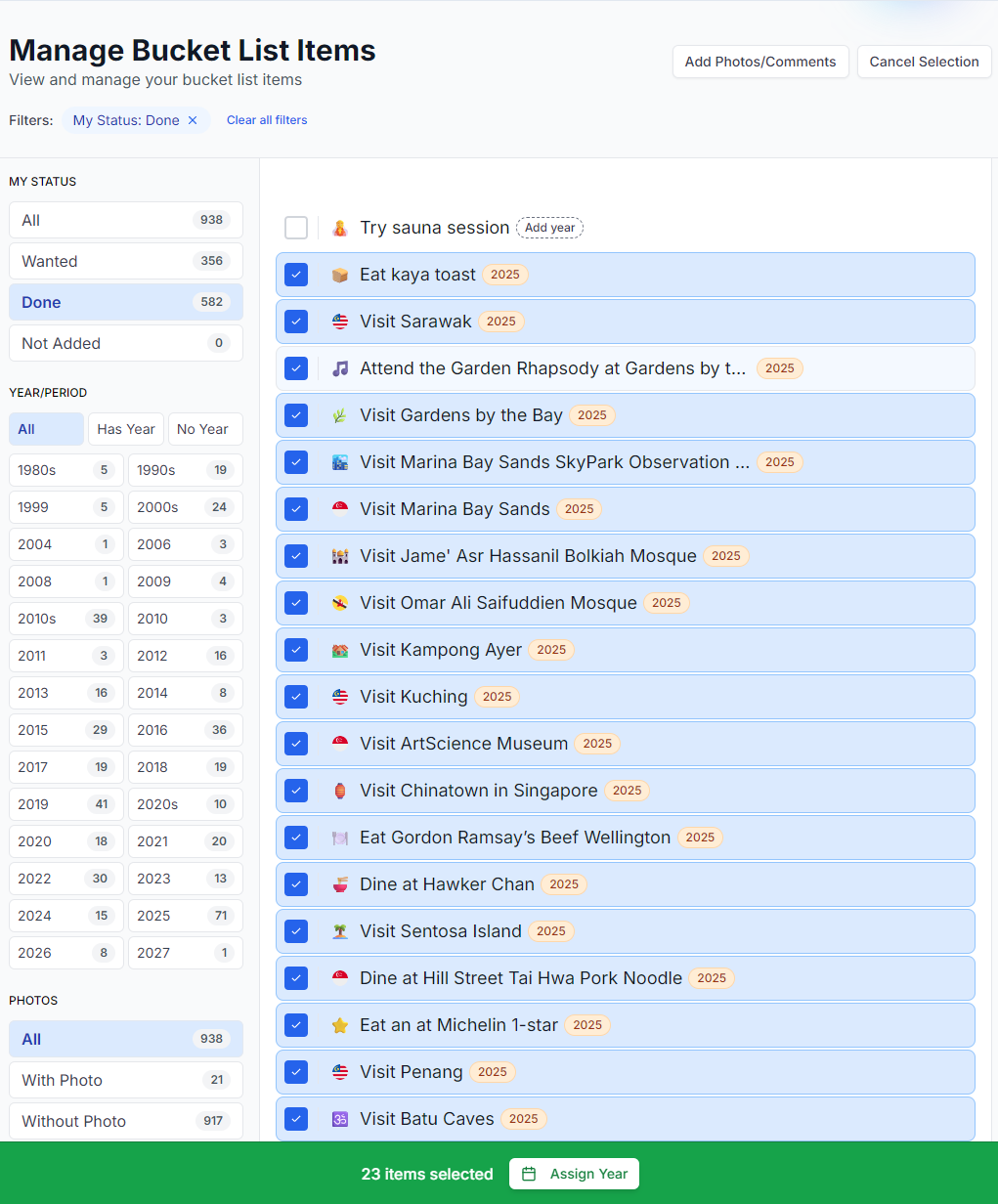
Manage Page also features quick way to add a comment and a photo to an item:
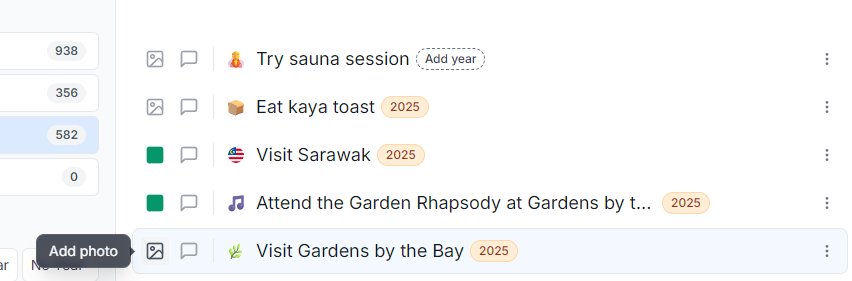
Items are also sorted by the date of action, so it's easier to find the most recent items.
4. 🐛 Fixeees and improvements
Other changes includes:
- Redesigned Browse header menu: added all categories and new sorting options + UI/UX changes.
- Added bucket item section for achievement summary (year/period, comment, photo).
- Link user's year badge to the Year in Review page.
- Improved rendering flags in the grid view.
- Added description for items in the List.
- Fixes related to the upload of image.
- Fixed Statistics for Lists.
- Fixed mobile layout for the Browse page.
- Fixed long descriptions / title in the list view.
- Fixed mobile hero section of the bucket item page in the mobile view.
- Fixed mobile view of the people who wants / has done bucket item modal.
- Fixed mobile view for roadmap page.
- Fixed long titles for the hero section in the Bucket List page.
- Fixed site news rendering.
- Improved thumbnail of the grid view.
- Add manage to the profile dropdown.
- Cache fixes.
5. 🙏 Support the Project
Servers, databases, high-resolution images, and countless hours of work add up — even a €3 coffee-tip helps keep Bucketly growing
Hey, I'm glad you are reading this section :) I'm personally very determined and dedicated to make Bucketly a success. My goal is to help people to achieve their dreams and make them happy. The project itself is hugely time-, energy-, and money-consuming.
The project is a new territory for me, but it's also challenging and rewarding. Whenever I see new users coming to the page or users making even tiny actions, it's a huge motivation to keep going.
If you want to support me and help me achieve my goal, please consider donating, even with a coffee-tip. I'm working on many other exciting features, so the Bucketly grows more and more, and I'm super happy to see that people are using it.
If you don't wish to support the project, please consider sharing the website with your friends. It's a great way to help the project grow and it gives me a wind in my sails!
Donation link: bucketly.co/support
6. What can you do now?
- Register and fill your Bucket List (if you haven't already!)
- Add photos and comments to your bucket items
- Follow other users
- Like other users' bucket items
- Complete your lifetime goals list
- 💖 Support the project!
- 💚 Share the website with your friends!
Thanks 🙏 — Darek