
Hi! 👋
It was a very intensive and yet fascinating August for the Bucketly. I shipped some exciting new features, tons of new data, and lots of improvements. Let's dive into the details.
tl;dr
This month featured:
- 📃 One Page Bucket List — View all your goals in one place
- 📅 Years + Timeline — Plan and reflect your journey
- 📊 Management View — Filters to clean up data fast
- 📈 Counters in Browse — See what’s popular
- 📦 285 new bucket items — New ideas and inspiration
- 🐛 Over 250 improvements and bugfixes — Better experience
- 💖 Bonus: Personal life updates
- 💚 Bonus 2: Support the project
1. One Page Bucket List
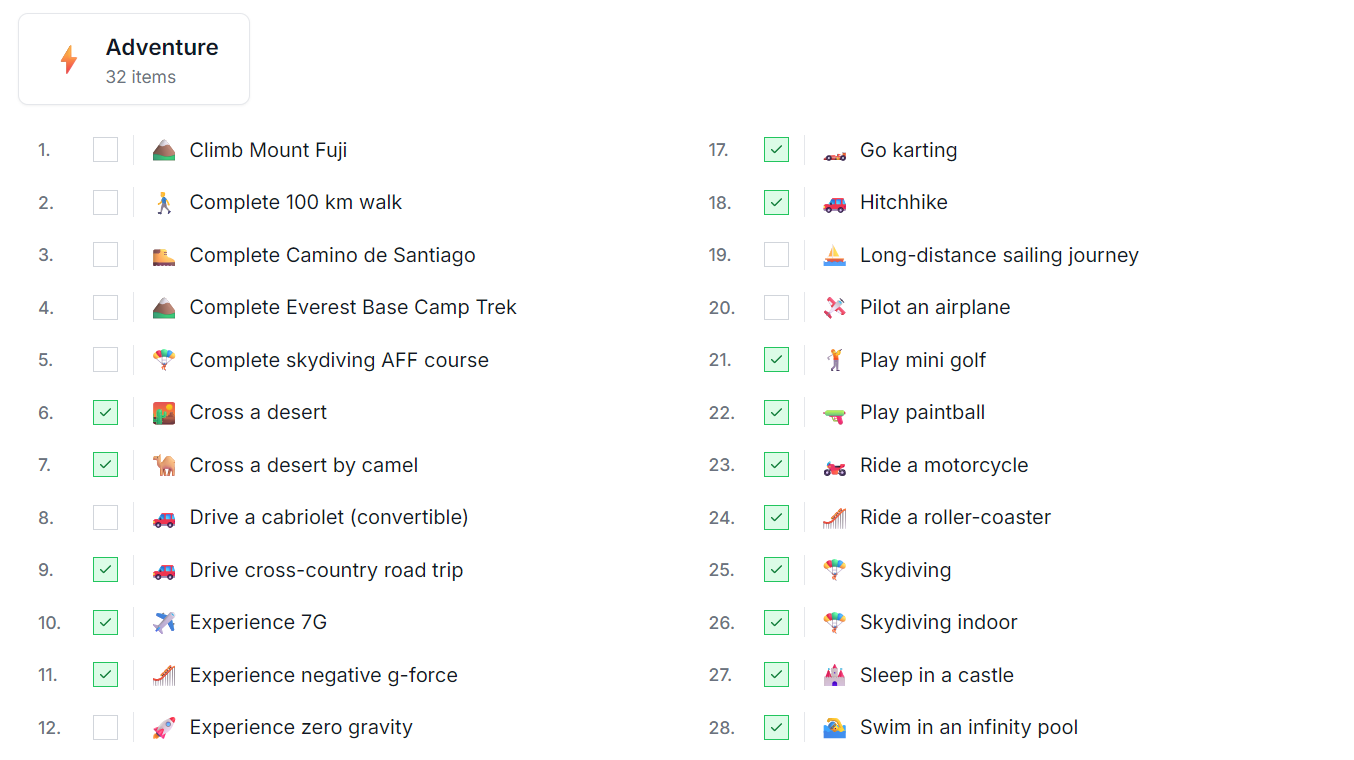
Your Bucket List is available in a single page now!
It's a great way to see all your goals in one place, with a compact and nice style. You can see it by yourself, but you can also share it with your friends.
There are some useful filters available at the page:
- Goals that are planned or done.
- Group by Category or Years.
- Show Countries or Cities only.
The view is available in the Profile Page > Bucket List.
Note on privacy: Only your public items appear on your shareable page. Private items stay private.
🔗 Example page: bucketly.co/users/1/bucket-list
2. Years
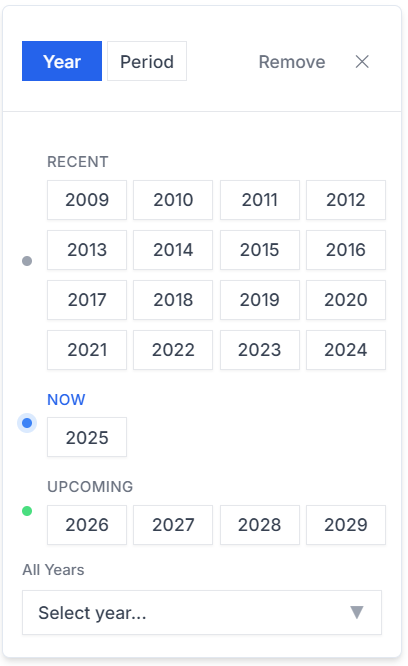
Every bucket item might have a year (or decade, e.g. 2020s) of completion or planned.
Example:
- I visited South Korea in 2023.
- I plan to run a marathon in 2026.
- I want to visit New York in the 2030s.
If you're not sure about the year, you can set a decade (like the 2020s) and see all goals that are planned or completed in this decade.
💡 Try now:
- Set years for 5 items from your Bucket List.
- Open your Timeline.
Where to set the Year?
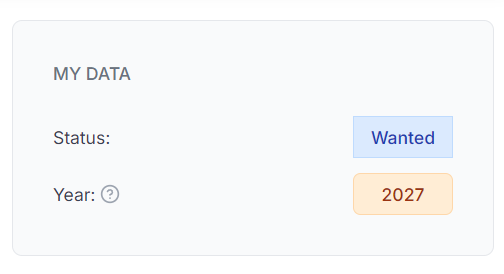
Each bucket item has a dedicated button in the MY DATA section (like in the screenshot above).
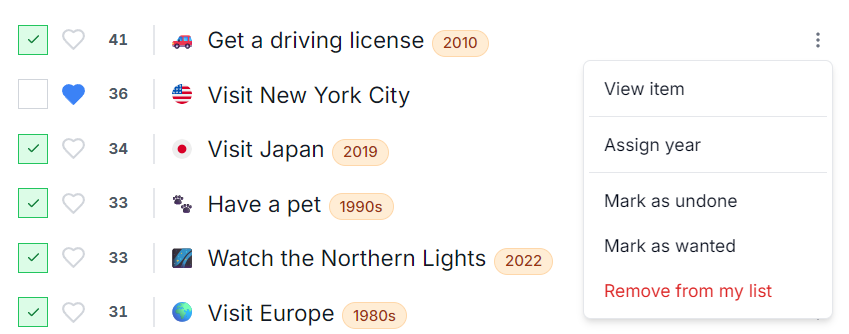
An alternative way is to set the year in the List view under Browse or Manage pages. Here, click the kebab menu (᎒) and select "Assign year". This way, you can batch update the year more efficiently without need to open each item.
(Notice the extra orange badge with the year in the List view.)
3. Timeline View
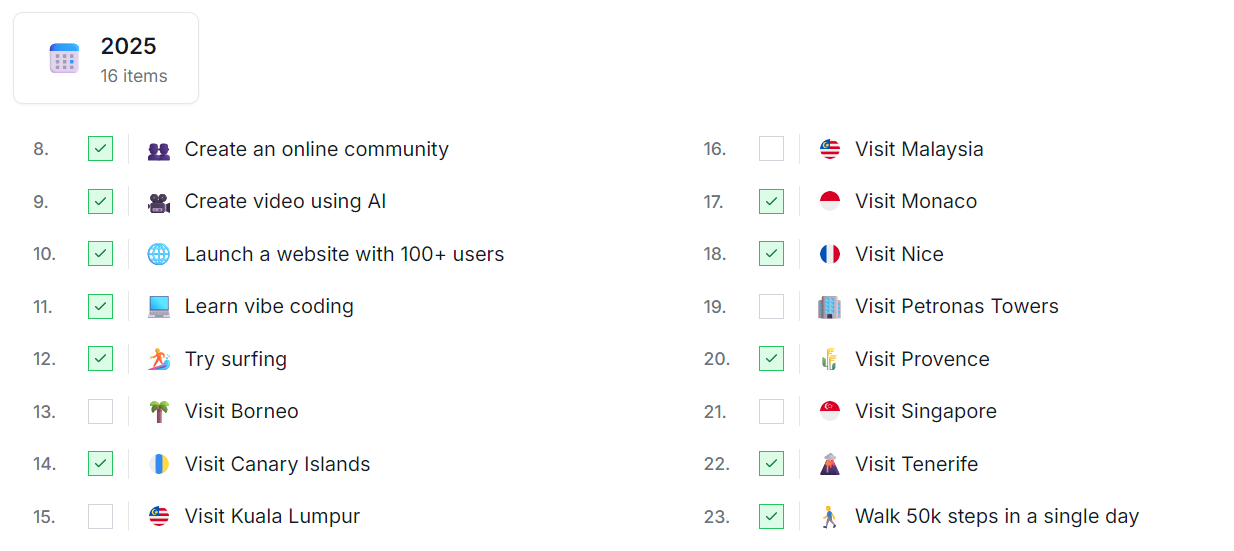
There's also a dedicated timeline view that shows all goals that are planned or completed in a given year or decade. With this view, you can build a timeline of your life and see how many goals you have completed or planned.
Please update your goals and be prepared for the 2025 Year Wrapping!
🔗 Example page: bucketly.co/users/1/bucket-list?groupBy=year
4. Management View
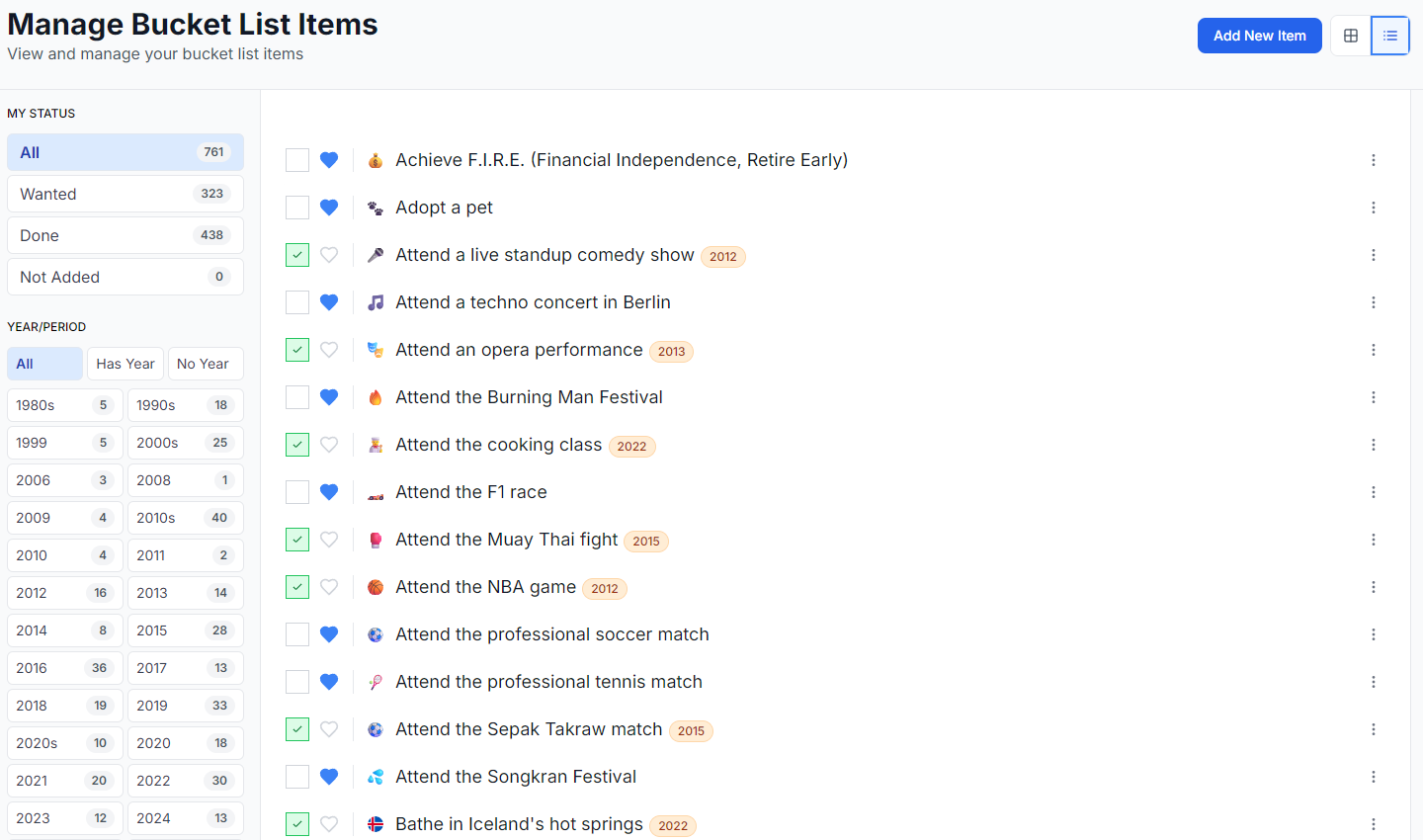
Welcome to the Management View!
If you need to have some overview on your list, here comes the new view. There are new useful filters available:
- My status: All, Wanted, Done, Not Added
- Year/Period: All, has year, has no year, specific years and decades
- Visibility: All, Public, Private
- Moderation: All, Pending, Accepted, Rejected
🔗 Link: bucketly.co/dashboard
5. Counters
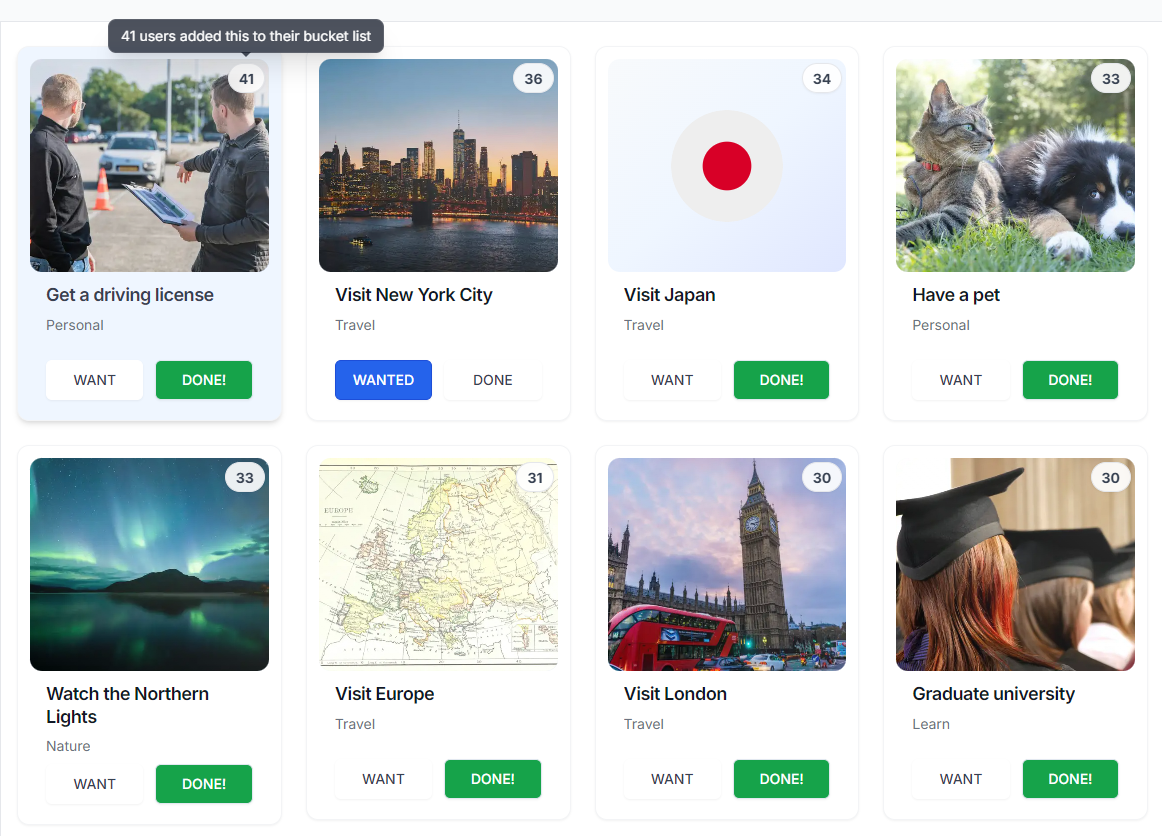
Another useful feature is the counter available in the Browse page. That is a visual indicator of the number of users that have added the bucket item to their list (as planned and done).
The counter is available for both Grid and List views.
🔗 Link: bucketly.co/browse
6. Lists
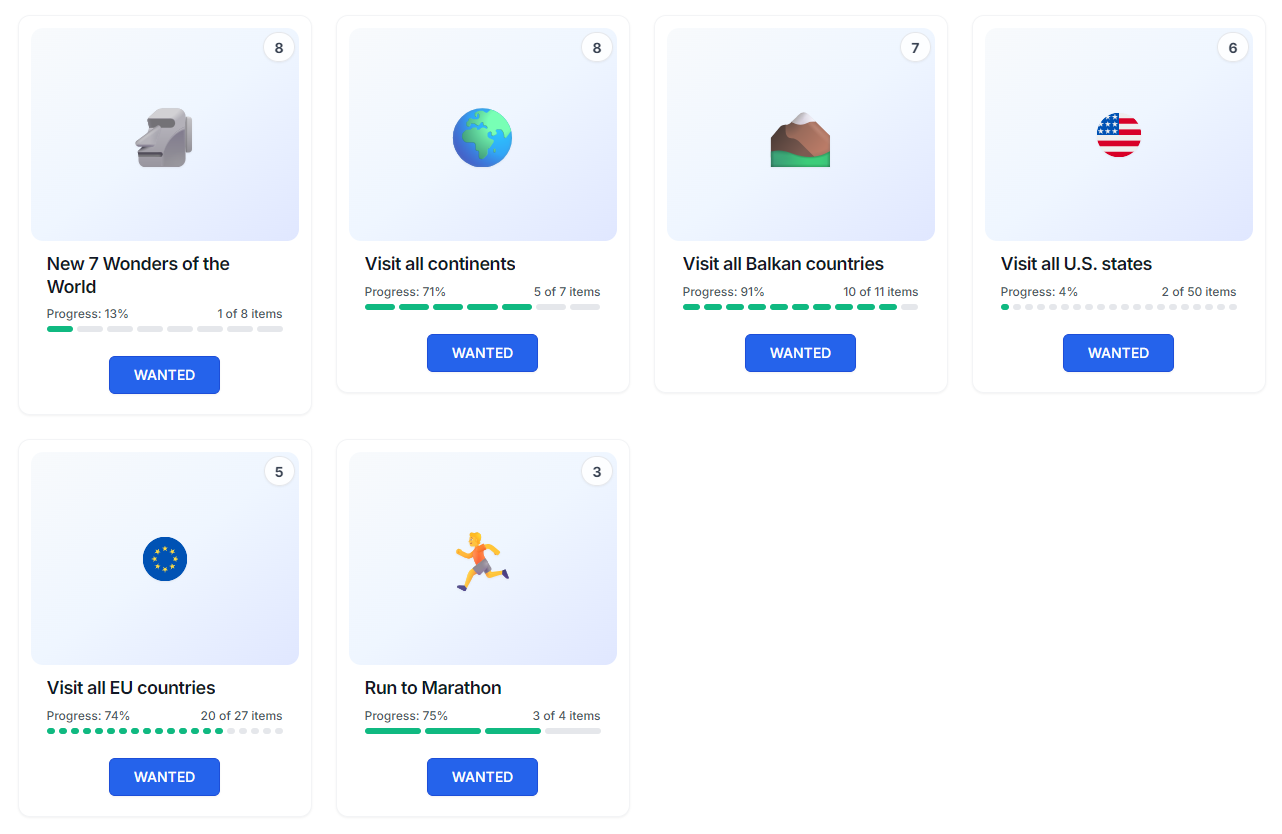
A few things are changed to the Lists:
- List is no longer Follow / Following, but Want / Wanted.
- e.g. I want to see all the New 7 Wonders of the World.
- List Item is completely redesigned.
- It shows statistics and global top achievers.
- Lists are also showing in your Bucket List:
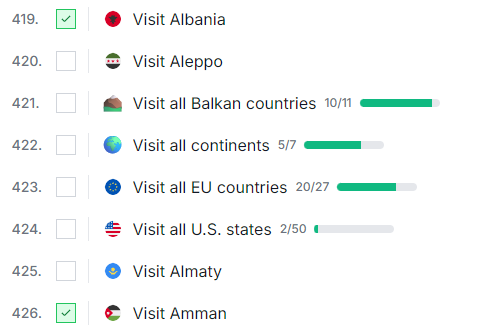
Lists are still under experimental phase. I'm working on merging lists to the Browse, so they will appear in the Browse page, but with extra features (like the progress bar). It will have a category, tags, and will behave similarly to a bucket item.
🔗 Link: bucketly.co/lists
7. 285 new bucket items!
Since the last update, there are 285 new bucket items added to the database:
- Some users added new bucket items and they were approved by the moderators.
- I'm always super happy to see your new ideas appearing in the catalog!
- I added more bucket items, based on the other bucket lists around the web, including Reddit.
Feel free to browse the newest bucket items, inspire yourself, and add even new ideas to the list!
In order to see the newest bucket items, you can use the "Recent" sort option in the Browse page.
🔗 Link: bucketly.co/bucket-list/all/recent
8. Improvements and bug-fixes
Whoa, there are not only new features.
During August 2025, I made over 250 UI / UX improvements, bug-fixes, and tiny useful features.
9. What's next?
The next phase is to introduce more personal features to the bucket items. I'm going to add the following features:
- Comments - you can comment on your bucket item.
- e.g.
Visited this 3 times, last time was in 2023. Really enjoyed it!
- e.g.
- Photos - you can add photos to your bucket item.
- e.g.
Here's the photo of the Eiffel Tower from my last visit.
- e.g.
Next phases will include the Follow / Following feature, the Feed view, and Notifications system.
I'm also refining a feature codenamed Travel Hub. It will be a dedicated page for curated high quality bucket lists. Think about the [Country] Bucket List and: Highlights, Regions, Cities, Places, Foodie (etc.) Along the map, it can be an ultimate travel planner. In the future, it would not be limited to Travel-related bucket lists.
10. From my bucket list this month...

This month was pretty active to my personal life as well.
- 🌐 Launch a website with 100+ users
- Yes! And that's the... Bucketly. It reached over 100 users for the first time! It's a thrilling moment and I'm super happy to see that people are using the website.
- 🇫🇷 Visit Nice
- When I had a road trip in Iceland, I said to my wife that I would like to visit Nice and say
nice!. So I visited Nice, saidnice!and I must say, it was nice! 😂 The city has a lovely vibe, great food, and a beautiful coastline.
- When I had a road trip in Iceland, I said to my wife that I would like to visit Nice and say
- 🇲🇨 Visit Monaco
- Monaco is just a meeeeh, it didn't click with me. It has some nice architectural touches, but overall it's boring and I didn't find it that interesting.
- The car collection of the Prince of Monaco is quite impressive though, I'm glad to see some F1 cars, Diablo and Testarossa.
- 🚶 Walk 50k steps in a single day
- I've done it before, but the first time it was proven by watch! So we did a walk from Nice to Monaco, marking 50k steps. If there's anything I would recommend to do in Nice, it's to have such a walk. Lovely coastline, small cities in the way, lots of beaches to cooldown, and the Nietzsche's scenic path.
11. Support the Project
Hey, I'm glad you are reading this section :) I'm personally very determined and dedicated to make Bucketly a success. My goal is to help people to achieve their dreams and make them happy. The project itself is hugely time-, energy-, and money-consuming.
The project is a new territory for me, but it's also challenging and rewarding. Whenever I see new users coming to the page or users making even tiny actions, it's a huge motivation to keep going.
If you want to support me and help me achieve my goal, please consider donating, even with a coffee-tip. I'm working on many other exciting features, so the Bucketly grows more and more, and I'm super happy to see that people are using it.
If you don't wish to support the project, please consider sharing the website with your friends. It's a great way to help the project grow and it gives me a wind in my sails!
🔗 Donation link: bucketly.co/support
12. What can you do now?
- Register and fill your Bucket List (if you haven't already!)
- Set years for your bucket items.
- Check out the new One Page Bucket List.
- Explore the new Timeline view.
- Try the Management View.
- See the Counters in the Browse page.
- 💖 Support the project!
- 💚 Share the website with your friends!
Thanks 🙏 — Darek